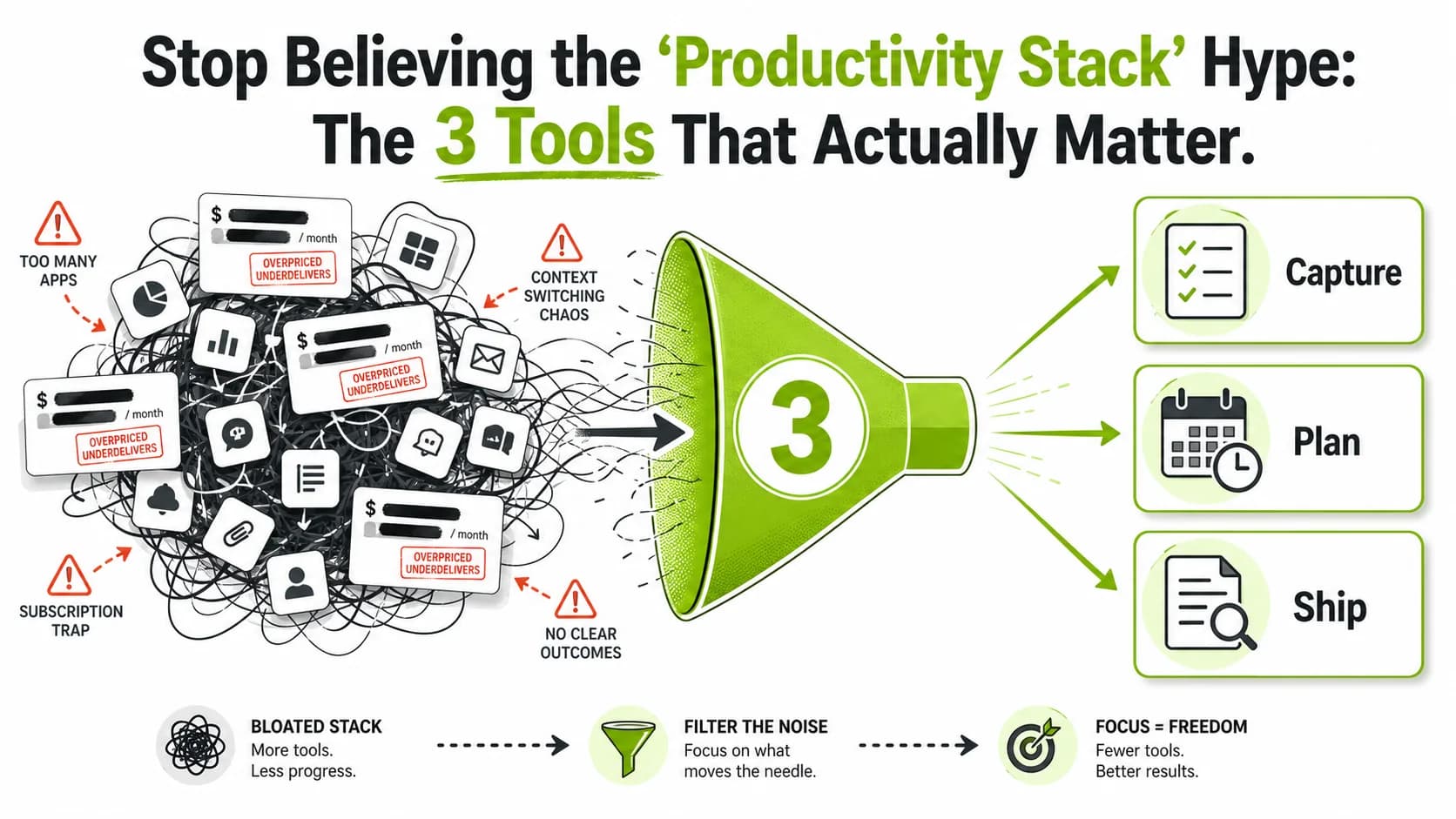
Your productivity stack is a lie. It’s not a finely tuned engine for your empire. It’s a digital landfill, a subscription graveyard where your focus goes to die. While you were busy curating the perfect Notion dashboard with seventeen interconnected databases, your competitor shipped a feature. While you were mastering the arcane keyboard shortcuts of your fifth project management tool, they closed a deal.
The modern productivity stack has become the ultimate status symbol for the online entrepreneur—a performative display of busyness that has zero correlation with actual output. It’s hustle culture’s final, most insidious form: the belief that the right combination of SaaS subscriptions is a substitute for work. This article is an intervention. We’re going to dissect the bloat, mock the gurus selling it, and give you a brutally simple framework to identify the three tools that actually matter. Your real work is waiting.
What Is a "Productivity Stack" (And Why Is It Broken)?
The average knowledge worker uses 13+ SaaS apps daily and loses 23 minutes per context switch, according to Productiv's 2025 SaaS Sprawl Report and University of California, Irvine research. The median bootstrapped founder spends $200-$400/month on tools that duplicate functionality across Notion, ClickUp, Slack, and Zapier.
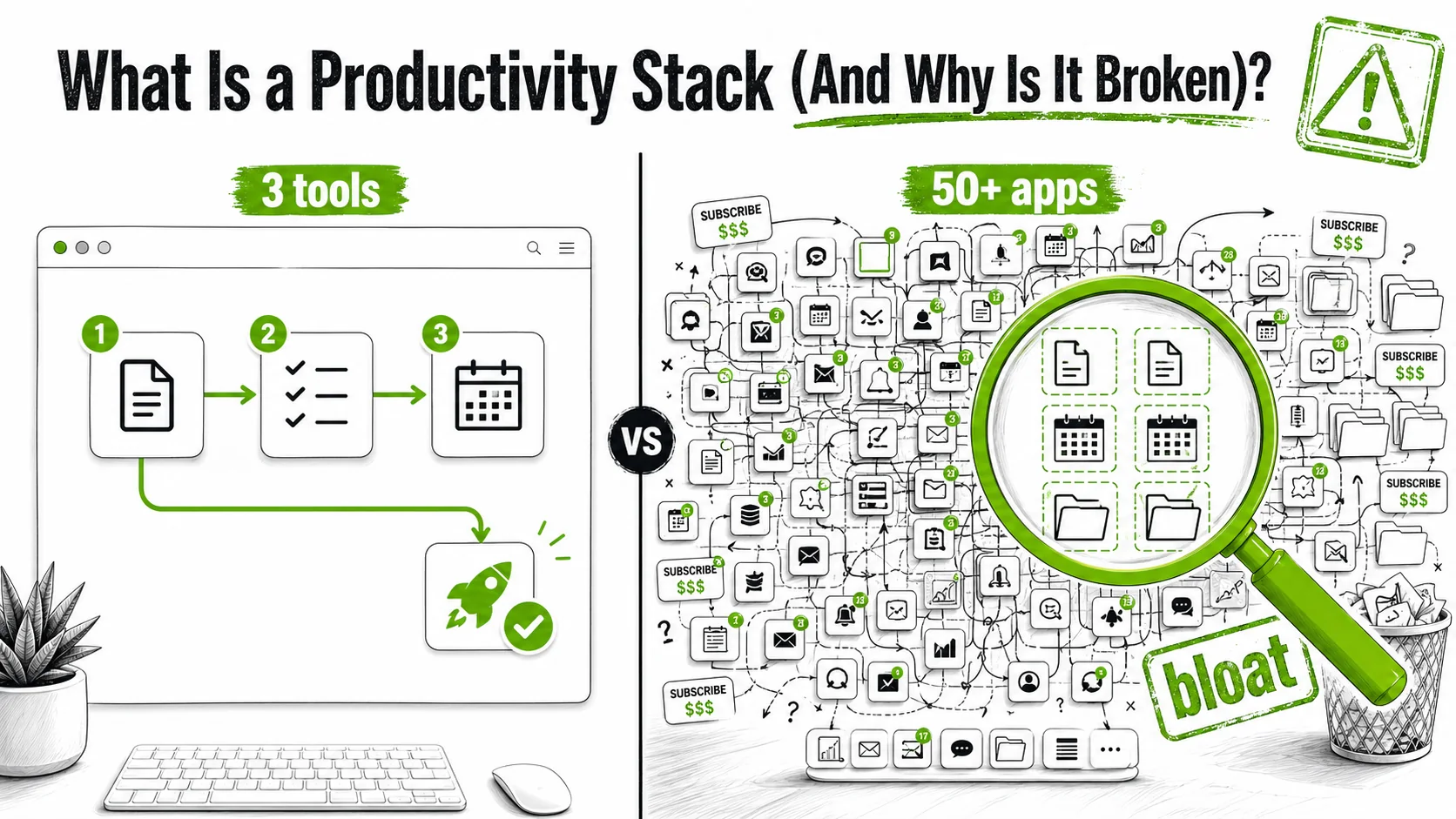
A productivity stack is the collection of software tools an individual or team uses to organize and execute work. In theory, it’s a logical system. In practice, as of March 2026, it has become a pathological collection of apps chosen for their aesthetic appeal on Twitter screenshots rather than their functional utility. The average knowledge worker now juggles over 13 different SaaS applications daily, according to a 2025 report from Productiv, yet feels less in control than ever.
The concept is broken because it’s been hijacked by influencer economics. The goal is no longer efficiency; it’s signaling. A complex stack signals that you’re a "serious founder" who has "systems." It’s the digital equivalent of a leather-bound planner you never write in.
What Does a "Typical" Guru Stack Look Like?
The typical guru stack is a monument to redundancy. It means using one app for notes (Obsidian), another for project management (ClickUp at $12/user/month), a third for docs (Notion at $10/user/month), a fourth for communication (Slack Pro at $8.75/user/month), a fifth for "deep work" (a Pomodoro timer app at $5/month), and a sixth to "connect" them all (Zapier Starter at $29.99/month or Make at $10.59/month). That's $76+ monthly before you've shipped a single feature. The 2026 Guide to Spotting Fake Revenue Screenshots often finds these elaborate setups in the background of those very same suspect screenshots. The table below isn't satire; it's a composite of real stacks I've audited.
| Tool Category | "Guru Stack" Pick (The Showpiece) | Simpler, Functional Alternative |
|---|---|---|
| Note-Taking | Obsidian (with 20 community plugins) | Apple Notes or a single Notion page |
| Task Management | ClickUp (with custom views, statuses, & automations) | A paper notebook or Google Tasks |
| Communication | Slack (with 15 channels) + Discord (for community) | Slack or Discord, not both |
| Documentation | Notion (with a "Second Brain" template) | Google Docs folder |
| "Workflow Engine" | Zapier/Make (with 50+ "noodle" automations) | Doing the task manually until it's truly repetitive |
Why Do We Keep Falling for This?
We fall for it because tooling feels like progress. Building a stack is concrete. It gives you the dopamine hit of completion without the risk of failure that real work entails. It’s easier to tweak a Kanban board color scheme than to make a difficult sales call. This behavior is amplified by the entire productivity sub-industry on social media, where a clean Notion workspace gets more likes than a shipped product. The promise is always the same: "Get organized first, then success will follow." It’s a seductive lie. Organization is a means, not an end.
What's the Real Cost of SaaS Sprawl?
The real cost isn't just the $347.89 per month in subscriptions (a real figure from a client audit I did last quarter). It's the cognitive tax. A 2024 study by Professor Gloria Mark at the University of California, Irvine, cited in The Atlantic and detailed in her book Attention Span (2023, HarperCollins), found that it takes an average of 23 minutes to refocus after a context switch between tools. McKinsey Global Institute corroborates this: knowledge workers spend 28% of their workweek managing email alone, and another 20% searching for internal information across fragmented tools. When you're bouncing between Notion, Slack, your project manager, and your email, you're not working. You're conducting a symphony of distraction. Your brain is the victim, and your output is the casualty.
Why Your Obsession with Tooling Is Killing Your Business
Parative's 2025 SaaS Efficiency Index found companies using 200+ SaaS applications had 14% lower revenue growth per employee than those using under 50. Every additional tool adds cognitive load, subscription cost, and security surface area without proportional output gains.
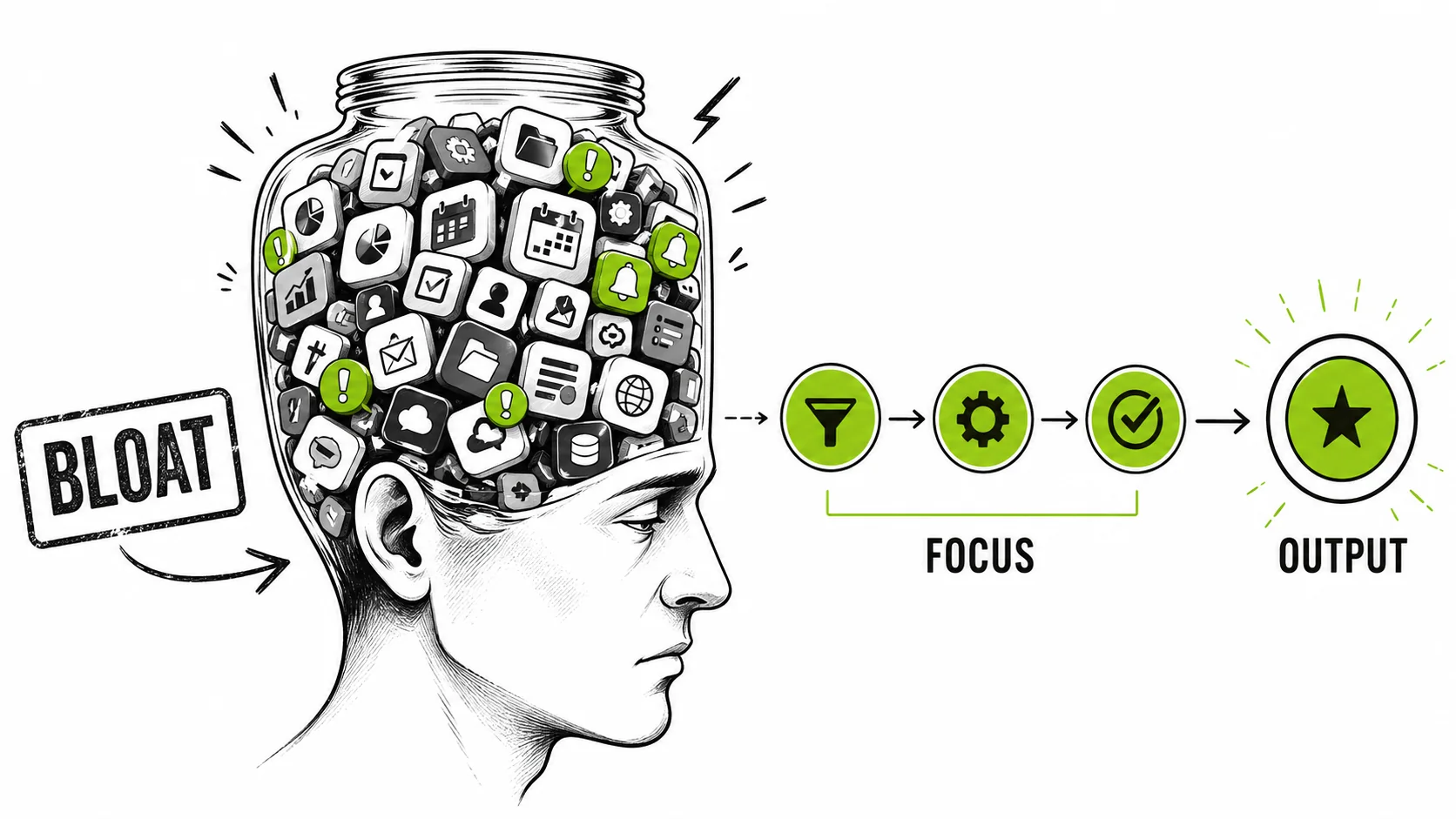
The obsession matters because it directly cannibalizes the two resources a founder has in shortest supply: time and mental bandwidth. Every minute spent configuring a new tool is a minute not spent talking to a customer. Every brain cell devoted to remembering which of your seven inboxes contains a specific message is a brain cell not solving a product problem. This isn't a minor inefficiency; it's a strategic failure.
Is This Just a "First World Problem"?
No, it's a universal business problem disguised as a luxury. For a bootstrapped founder, that $50/month for a "premium" task manager could be a Google Ads test budget. For a small team, the hours spent onboarding to a new, "better" platform represent a week of delayed development. The 2025 SaaS Efficiency Index found that companies using over 200 SaaS applications (common in mid-sized startups) had 14% lower revenue growth per employee than those using under 50. More tools correlated with less growth. The bloat isn't a symptom of success; it's often a cause of stagnation.
How Does Tool Fetishism Relate to "Larping"?
It's the same psychological drive. The entrepreneur larper buys a fancy website template and fake revenue screenshots to look successful. The productivity larper buys the premium tier of every trending SaaS app to feel productive. Both are engaging in performance instead of practice. Both are prioritizing the aesthetic of work over the actual work. Learning to spot one helps you spot the other. The same insecurity that makes someone susceptible to hustle porn metrics makes them crave a complex stack. It's external validation seeking a digital outlet -- what Robert Cialdini calls "social proof" in Influence: The Psychology of Persuasion, where we substitute others' choices for our own judgment. You can learn more about this mindset in our broader analysis on how to actually measure your startup's health. The pattern is identical to what we exposed in the overnight success myth: a curated illusion that replaces the unglamorous reality of building something real.
What's the Single Biggest Distraction?
The single biggest distraction is the belief in a "silver bullet" tool. It's the idea that the next app—be it a revolutionary AI notetaker or a "visual collaboration platform"—will finally unlock your latent potential. This is magical thinking. As a developer friend put it after trying the much-hyped "Cline" AI coding assistant: "It's great for writing boilerplate I already know, and terrible for the actual hard thinking." Tools assist; they don't invent. The distraction is the endless search for assistance so perfect it eliminates the need for effort. That tool does not exist.
How to Audit Your Stack and Find Your 3 Core Tools
Map every tool to one of three functions: Build (create your product), Sell (acquire and serve customers), or Manage (operations). Gartner's 2025 Digital Workplace Survey found that 47% of SaaS licenses in companies under 50 employees go unused in any given month. Cancel everything that doesn't directly accelerate Build, Sell, or Manage.
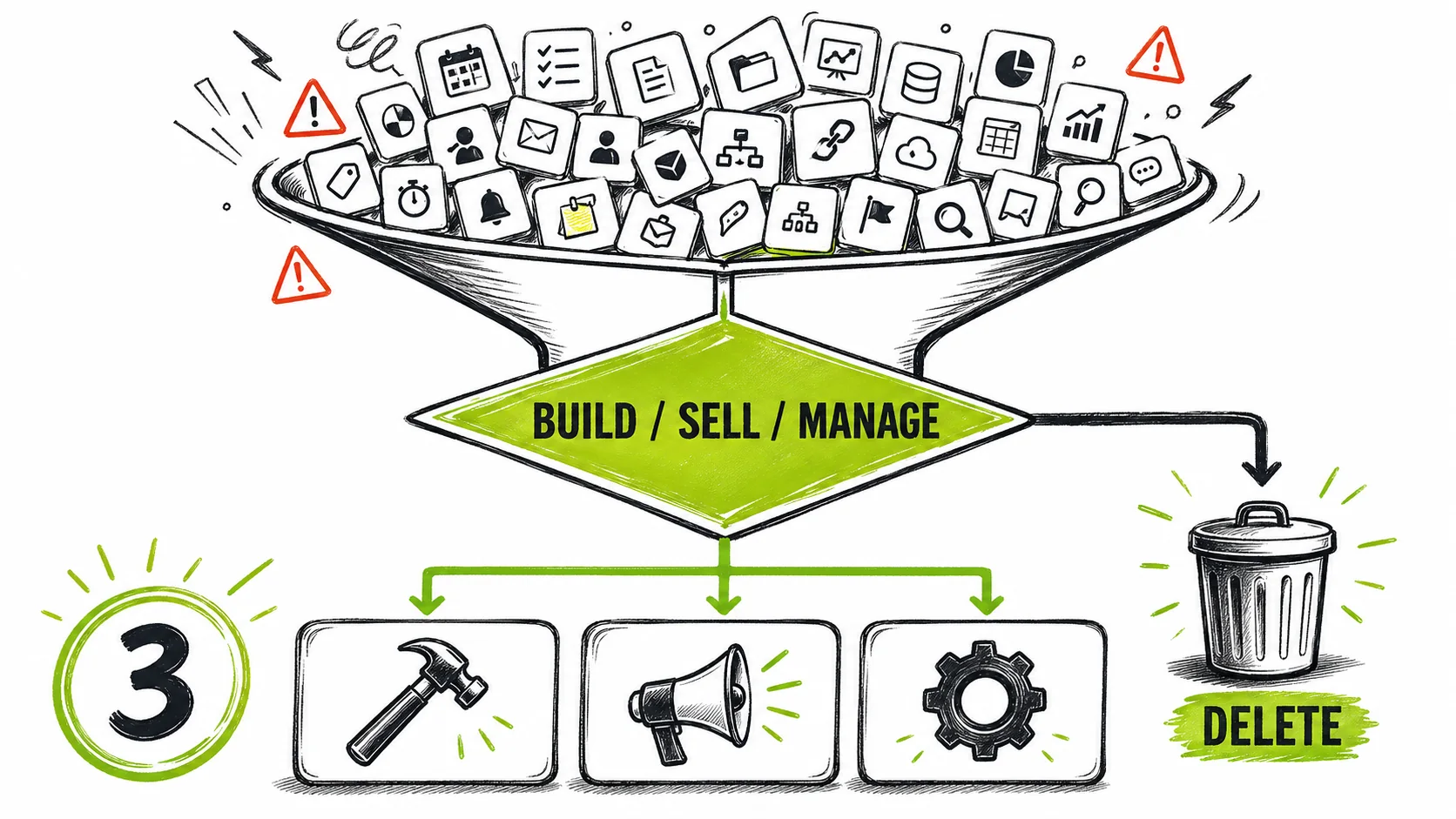
This is the purge. The goal is not to find the "best" tools globally, but to identify the minimum tools that directly serve your core business functions. We're targeting three. Not three per category. Three total. This forces brutal prioritization.
The Core Functions Framework: Every tool in your stack must map to one of three core functions:
If a tool doesn't directly and significantly accelerate one of these, it's a hobby. Delete it.
Step 1: The Triage (The "Everything Bag" Dump)
List every piece of software you use for work. Every. Single. One. Check your browser history, your credit card statements, your app library. Put them in a spreadsheet with columns: Tool Name, Monthly Cost, Core Function (Build/Sell/Manage/None), and "Last Value Delivered" (When did this tool last directly lead to a shipped feature, a closed deal, or a filed tax return?).
Be horrified by the list. It's okay. I once found a client paying for a "social media sentiment analysis" tool they hadn't logged into in 11 months. The first step is admitting you have a problem. This audit process is a cornerstone of smart founder productivity, cutting through the noise to find signal.
Step 2: The "Build" Filter: Does It Touch the Product?
For the "Build" category, you're looking for tools of creation. For a software founder, this is your IDE (like VS Code), your design tool (like Figma), and your repository (like GitHub). For a content creator, it might be your video editor (DaVinci Resolve), your microphone (a physical tool, but the principle stands), and your publishing platform (YouTube Studio). The question is: "If this tool disappeared tomorrow, could I still make the core thing I sell?" If the answer is "yes, but slower," it's a candidate. If the answer is "no, my business stops," it's a keeper. You likely only need 1-2 here.
Step 3: The "Sell" Filter: Does It Touch the Customer?
This is often the messiest category. It includes marketing, sales, and support. You need a website (maybe Webflow or WordPress). You need a way to take money (Stripe, PayPal). You need a way to communicate with leads and customers. Here is the critical rule: You only get one primary communication channel for each audience. One for your team (Slack or email). One for your customers (a help desk or a dedicated support email). The goal is to reduce inboxes, not create them. Your CRM might just be a spreadsheet until you have 100 customers. Choose the one tool that handles the most critical part of your funnel right now.
Step 4: The "Manage" Filter: The Necessary Evil
This is the paperwork of business. Accounting (QuickBooks, Xero). Legal doc storage (Google Drive). High-level planning. This category should be the smallest. It exists to serve the other two, not become a domain of its own. A common mistake is using a project management tool like Asana for "Manage" when it's really a "Build" tool for the team. Be strict. "Manage" tools should be used as infrequently as possible—weekly or monthly, not daily. Your daily driver should not be your accounting software.
Step 5: The Elimination Round (The "One In, One Out" Rule)
You've categorized. Now you have 8 tools in "Build," 5 in "Sell," and 4 in "Manage." That's 17. Too many. For each category, force rank them. In "Build," which one is truly indispensable? Keep only the top 1 or 2. Do the same for "Sell" and "Manage." Your final list should have 3-4 tools total. For everything else, you institute a "one in, one out" rule. Want to try that new AI writing tool? Fine. Which existing tool are you canceling today to make room for it? This forces consequential thinking.
Step 6: Implement the "Junk Drawer"
You will have needs that don't fit. A place for random notes, bookmarks, or brainstorming. This is your "Junk Drawer." You are allowed one. It can be Apple Notes, a single Google Doc, or a blank Notion page. It is not a "Second Brain." It is a junk drawer. Its purpose is to hold clutter so your core tools remain clean. You do not optimize your junk drawer. You do not buy a premium subscription for it. You throw things in it and forget about them until you desperately need them.
Step 7: Measure Output, Not Activity
The final step is to change your success metric. Stop measuring how many tasks you moved to "Done" in your project manager. Start measuring:
- Build: Features shipped per week.
- Sell: Customer conversations had per day, deals closed per week.
- Manage: Time spent on admin (target: less than 10% of your week).
Your tools are now in service of these numbers. If a tool isn't helping move them, it fails the audit—again. This shift from activity to output is how you escape the productivity stack illusion for good.
Proven Strategies to Maintain a Minimalist Stack
Implement a 30-day cooling-off rule for new tools and a strict "one in, one out" policy. Zylo's 2025 SaaS Management Report found that the average company wastes $18 million annually on unused or redundant software licenses. At the founder level, even $100/month in SaaS bloat compounds to $1,200/year that could fund ad testing or product development.
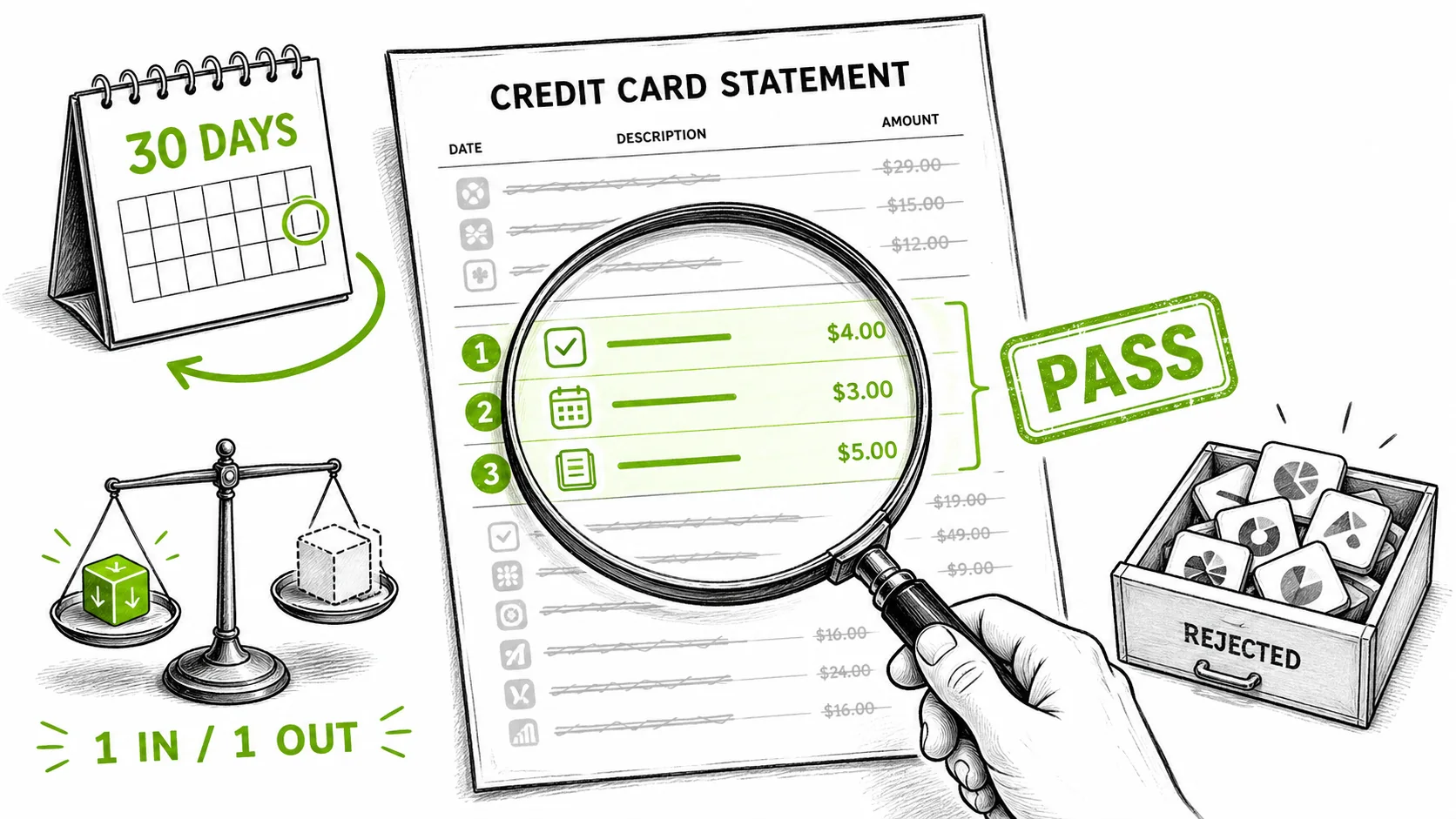
The hard part isn't the purge; it's preventing the regrowth. The SaaS industry's entire business model is designed to make you backslide. Here's how to defend your minimalist stack.
How Do You Handle the "But This New Tool Is Different!" Urge?
You give it a 30-day "cooling-off" period. When you see a shiny new tool promoted by a guru (who is likely an affiliate), write it down in your Junk Drawer with the date. Do not visit the website. Do not sign up for the webinar. If, after 30 days, you are still actively thinking about a specific problem this tool solves, and your current tools genuinely cannot solve it, then you may proceed to the "One In, One Out" rule. 90% of the time, you'll forget it existed. This strategy alone saved one of my clients an estimated $2,400 last year in avoided subscriptions.
What's the One Automation Actually Worth Building?
The only automation worth the initial setup time is one that moves information from your "Sell" function into your "Manage" function without you thinking about it. For example: a rule that takes emailed invoices and files them in a specific Google Drive folder for your accountant. Or a Zap that adds new customer emails from Stripe into a simple CRM spreadsheet. The key is that it eliminates a manual, repetitive, mindless task that you currently do. Do not automate something you do once a month. Do not build a Rube Goldberg machine that "prepares your daily dashboard." The ROI is negative. For more on filtering real efficiency from performative tech, explore our productivity hub. And if the guru selling you a stack is also selling you a course, check our 12 red flags for online course scams before you buy.
How Do You Deal with Team Pressure to Add More Tools?
This is a leadership test. Teams often request new tools to solve communication or process problems. Your job is to diagnose the real problem. If the request is for a new collaboration tool, the problem might be unclear priorities or too many meetings. Solve the process first. I enforced a rule at a previous startup: any tool request required a one-page document outlining the specific workflow bottleneck it would solve, and an estimate of time saved per week. Most requests died at the document stage. The few that passed were then subjected to a team-wide trial with a hard sunset date. This turns tool adoption from a whim into a deliberate experiment.
When Is It Actually Time to Upgrade or Add a Tool?
You upgrade or add a tool when the pain is quantifiable and consistent. The sign is not "I wish this was easier." The sign is: "I am spending 5 hours every Thursday on this manual task, and it's causing errors that cost us money." Or: "Our current help desk tool cannot handle our ticket volume, and customer satisfaction scores are dropping by 15% month-over-month." At that point, you're not shopping for toys; you're sourcing surgical equipment. The decision is driven by data from your core output metrics, not by a YouTube ad.
Got Questions About Productivity Stacks? We've Got Answers
Isn't a Simple Stack Only for Solopreneurs?
No, it's actually more critical for teams. Complexity compounds with each new person. A simple stack reduces onboarding time from weeks to days, ensures everyone is looking at the same source of truth, and cuts down on the "which tool has that file?" chatter that plagues teams. A 10-person company using 5 core tools is far more agile than a 10-person company using 25. The principle of constraint breeds clarity and alignment.
What About AI Tools? Aren't They Game-Changers?
Some are. Most are not. The game-changing AI tools are the ones deeply integrated into your core "Build" or "Sell" functions: GitHub Copilot for developers, or an AI copywriting tool that's part of your actual ad creation pipeline. The distracting AI tools are the standalone "productivity" ones that promise to organize your disorganization. An AI that summarizes your meeting notes is useful. An AI that requires you to manually feed it data from six other apps to give you a "productivity score" is meta-bloat. Judge AI tools by the same standard: do they directly help Build, Sell, or Manage?
I Use Notion for Everything. Is That Bad?
It can be. Notion is a powerful "junk drawer." The danger is when it tries to be your project manager, your CRM, your wiki, and your document editor all at once. It often ends up being mediocre at all of them while creating a proprietary lock-in for your data. If you use Notion, use it for one primary purpose (e.g., internal documentation/wiki) and accept it as your junk drawer for everything else. Do not try to build your entire business on a platform that can change its API or pricing on a whim.
How Often Should I Re-Audit My Stack?
Formally, every six months. Do the full spreadsheet exercise again. Informally, every time you feel a sense of dread logging into a tool, or find yourself working around it, ask the question: "Does this still serve a core function?" The moment a tool creates more friction than it removes, its time is up. Your stack should feel like a sharp pencil, not a tangled knot of headphone wires.
The future of your productivity isn't in a new tab. It's in the work you're avoiding by reading articles like this one. The three tools that matter are the ones that get you back to building, selling, and managing the essentials. Everything else is set dressing for a play where you're the only audience.
The real skill isn't managing a complex stack; it's spotting the people who use complexity to hide their lack of progress. The same founders who sell you a 15-tool stack are often the ones fabricating entire business histories with AI or running automation agency courses that are actually digital sweatshops. If you're tired of the performance and ready to focus on what actually works, start by learning the patterns. Learn to detect the larpers, the fakes, and their elaborate facades. Your attention is your most valuable asset. Stop giving it away to apps.
<!-- sister-projects-start -->
Other Doved Studio projects
Related tools from the same studio you might find useful:
- Ralphable: Generate structured Claude Code skills that iterate until pass/fail criteria are met.
- Doved Studio: Studio indie derrière cette app et une dizaine d'autres outils.
<!-- sister-projects-end -->