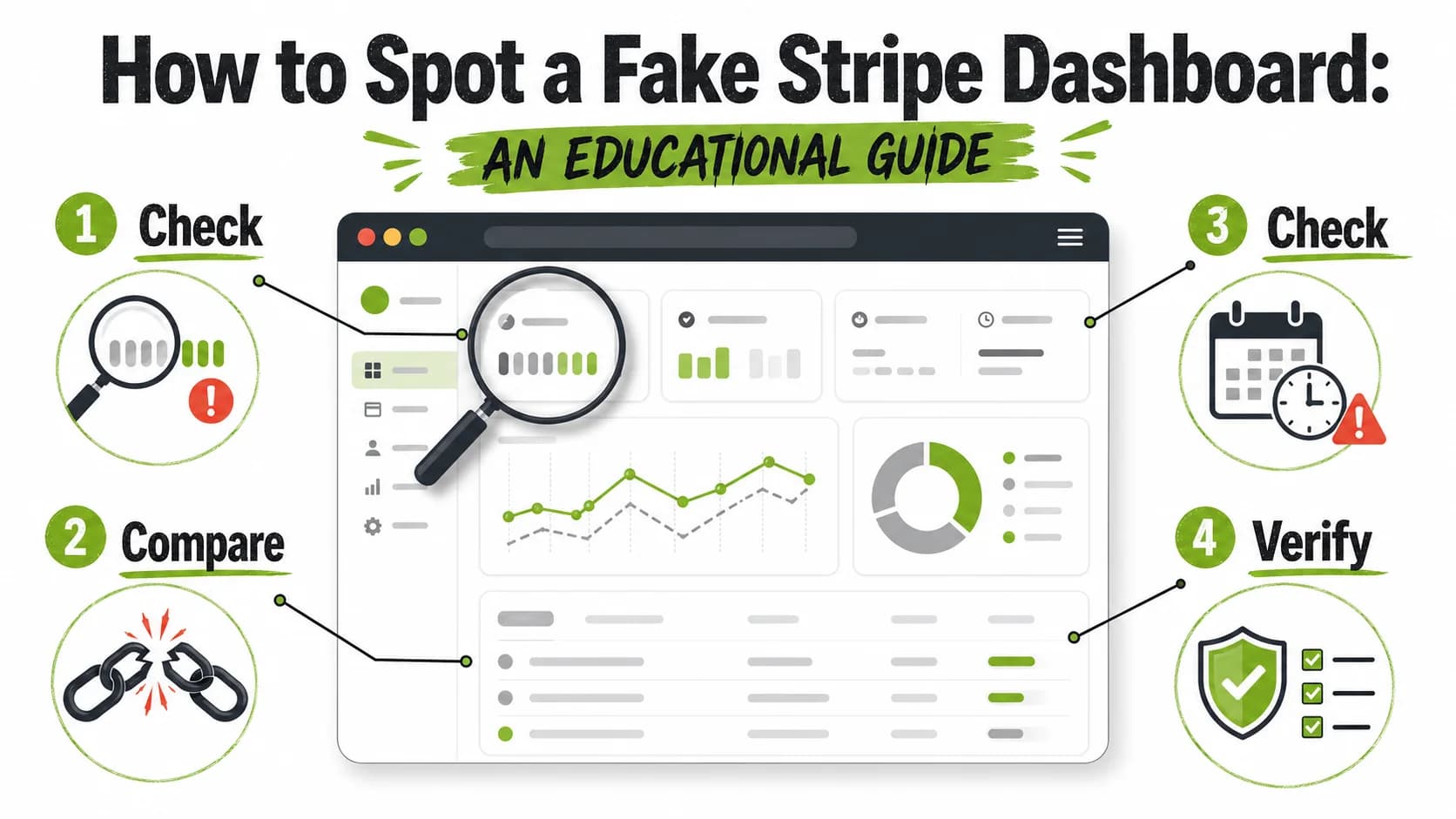
How to Spot a Fake Stripe Dashboard: An Educational Guide
Introduction
Stripe's clean, professional interface has made it the favorite prop of online scammers and "gurus" peddling false success. Fabricated dashboards are used to lure investors, secure fraudulent loans, and sell bogus courses by showcasing fake revenue.
This guide exists for one purpose: to inoculate you against deception. By understanding the precise, technical details of a real Stripe dashboard, you can learn to spot the inevitable flaws in a fake. We're shifting your brain from a passive viewer to an active forensic analyst. The goal is to build skepticism, protect your wallet, and dismantle the illusion that screenshots equal proof.
Anatomy of a Real Stripe Dashboard (Your Baseline for Truth)
A genuine dashboard is a live application, not a static picture. Scammers try to replicate the image but consistently fail to copy the underlying logic and detail. Here's what a real one actually contains.
The Header and Navigation: The Control Center
The top and side navigation are rigidly structured. Missing or altered elements are a major red flag.
- Account Switcher: Far left, showing the business name. A real user often has multiple accounts listed here. Fakes frequently show a generic or missing name.
- Central Search Bar: It always has the placeholder "Search payments, customers, etc." Its absence is a clear sign of a fabricated image.
- Standard Icons: On the far right, a notification bell and a help ("?") icon are always present.
- The Sidebar Hierarchy: The left sidebar has a specific order: core tabs (Home, Payments), then a "More" section, then user settings at the bottom. Fakes often jumble this order or use incorrect labels.
The Main Metrics Area: Where Fakes Get Greedy
This area shows key stats. Scammers love to put big, impressive numbers here but make classic mistakes.
- Cents are Critical: Real transaction volumes almost always include cents (e.g.,
$12,548.67). If you see a perfect, round number like$10,500, your skepticism should spike. - The "Today" Box: A small, persistent box showing today's volume is a permanent fixture. Its omission in a "proof of earnings" screenshot is a dead giveaway.
- Date Range Logic: Above the metrics, a selector lets users view data for "Today," "Last 7 days," etc. The large numbers shown must logically match the selected range. Fakes often show huge "lifetime" numbers while the selector says "Last 7 days."
The Revenue Graph: The Scammer's Greatest Nemesis
This is an interactive, data-rich chart. Faking it convincingly is extremely difficult.
- The "Wiggle" of Reality: Real revenue graphs are jagged, with small dips and peaks reflecting daily transaction flow. A perfectly smooth curve or a straight line shooting up is a cartoon.
- Weekend Dips: For businesses selling to consumers, a noticeable drop on Saturday and Sunday is normal. Its absence for a claimed e-commerce brand is illogical.
- Real Time Labels: The X-axis will show real dates and times (e.g., "Apr 5, 12 PM PST"). Generic labels like "Day 1, Day 2" are a sure sign of fabrication.
The Transactions List: The Devil's in the Data
The /payments page lists individual transactions with strict formatting rules.
- Status Pill Design: Statuses like "Succeeded" are in specific colored capsules. Fakes often use the wrong color or wrong word (e.g., "Success").
- Mandatory Decimals: The Amount column is always right-aligned and always shows two decimal places (
$49.99,€100.00). A list full of round numbers ($50,$100) is statistically absurd and indicates manual invention. - Unique IDs: Each payment has a long, unique ID starting with
pi_orch_. Short, fake, or missing IDs are a red flag.
The 5 Unforgivable Mistakes of Fake Dashboards
Scammers work from memory or poor templates. These are the errors they consistently make.
1. The Font is Always Wrong
Stripe uses a custom, proprietary font family. Fakes almost always substitute common system fonts like Arial or Helvetica. The text will look subtly "off"—either too thick, too thin, or poorly spaced. This is one of the hardest technical details to get right.
2. Missing UI Elements (The "Forgotten" Parts)
Scammers focus on the big numbers and forget the small, always-present details.
- "Next Payout" Box: On the Home tab, a card detailing the next scheduled bank transfer is a core feature. If it's missing, the screenshot is fake.
- Verification Cues: Legitimate businesses have verification badges. A "multi-million dollar" dashboard without any verification is a contradiction.
- Test Mode Banner: If the screenshot is supposed to be from a live account, a bright orange "Test mode" banner at the top must NOT be present. If you see it, they're showing you practice data.
3. The Perfection of Fake Numbers
Real financial data is messy. Fake data is suspiciously clean.
- No Cents: As noted, a list of transactions without cents is a huge warning sign.
- Impossible Consistency: Real businesses have a mix of successful and failed payments, and odd amounts from fees. A list of 20 transactions all "Succeeded" for perfect dollar amounts is a fantasy.
4. Impossible, "Ideal" Graphs
This is the most common and telling error.
- Smooth Exponential Curves: Real growth is lumpy. A graph that's a perfect parabola is a visual metaphor for "scam."
- No Temporal Logic: Graphs showing zero activity for weeks then a vertical spike, or identical daily revenue, violate basic business logic.
- Wrong Labels: Axes labeled "Revenue ($)" or "Jan, Feb, Mar" for a weekly view show the creator doesn't understand the platform they're faking.
5. Screenshot & Composition Artifacts
The medium itself betrays the lie.
- Wrong Shape: Stripe is designed for a desktop browser. A tall, mobile-style screenshot or a perfectly cropped, borderless image of just the dashboard suggests it was made in a design tool, not a browser.
- No Browser Chrome: A real screenshot usually includes part of the browser window—the address bar, tabs, or bookmarks. A bare image is often a sign of fabrication.
- Compression Clues: If the image is blurry or pixelated (JPEG artifacts), it may have been edited and re-saved. Clean screenshots are typically PNGs.
Side-by-Side: Real vs. Fake (Educational Gallery)
- Image A: Real Header & Metrics
$8,427.31). The "Today" box is present. The layout feels dense and professional.
- Image B: Fake Header & Metrics
$10,500). The "Today" summary is missing. The font looks thicker and less refined.
- Image C: Real Revenue Graph
- Image D: Fake Revenue Graph
- Image E: Real Transactions List
$24.99, $47.41). Mix of statuses. Long, unique Payment IDs.
- Image F: Fake Transactions List
How to Technically Verify a Suspect Image
If your gut says "fake," these steps can confirm it.
Software field says "Adobe Photoshop," "Figma," or any design tool, it is irrefutable proof of fabrication. A real screenshot will list an OS or browser.FAQ: Your Skepticism Toolkit
Q: Couldn't a very skilled person create a perfect fake?
A: In theory, yes, but it becomes a massive, pointless effort. The goal of this guide is to make spotting low-to-medium effort fakes—which constitute 99% of scams—easy. If someone goes to extreme lengths, other non-technical red flags (their story, pressure tactics) will likely be present.
Q: What if they just have a business with simple, round-number pricing?
A: Even with round-number sales, Stripe's fees (2.9% + $0.30) create final payouts with cents. The other elements (graph, missing UI components, fonts) would also need to be flawless, which is highly unlikely in a fake.
Q: Is a screen recording more trustworthy?
A: It's harder to fake in real-time, but not impossible. Sophisticated scammers can use pre-recorded videos or mirrored screens. A recording is better than a screenshot, but it's not absolute proof. Trust should be based on verified actions and legal documents, not digital visuals.
Conclusion: From Gullible to Skeptical
The power of a fake dashboard dissolves under informed scrutiny. Scammers rely on your lack of familiarity with the real platform. By learning the rules—the mandatory cents, the "wiggly" graph, the ever-present UI elements—you arm yourself against a common form of digital fraud.
Remember: Anyone can fake a screenshot. The goal is to make that fact cost the scammers, not you.
Learn to spot the patterns: → Explore our FREE Pattern Recognition Guides. Understanding how fake entrepreneurs operate is the best defense against their tactics.
Want to learn more? → Read our educational blog for more guides on detecting fake success stories and protecting yourself online.
<!-- sister-projects-start -->
Other Doved Studio projects
Related tools from the same studio you might find useful:
- Ralphable: Generate structured Claude Code skills that iterate until pass/fail criteria are met.
- Doved Studio: Studio indie derrière cette app et une dizaine d'autres outils.
<!-- sister-projects-end -->